My Son Chose German, So I Built Him an App
My eldest son has travelled to more than 15 countries in Europe, and German became his favourite language along the way. When he chose German as the next language to learn, I built him an app for it.
Some of my best side projects start with a problem of my own. This one started with my son.
A boy who fell for German
My eldest son loves to travel. By now he has been to more than 15 countries in Europe, and he has heard many different languages along the way. Of all of them, German is the one he likes best.
So when it was time to choose his next language, he didn't need to think about it. He picked German.
As a parent, that is a wonderful moment. A child who chooses a language is already halfway there. My job was to keep that excitement going.
Looking for the right app
I looked for an app that would help him. Many language apps are made for adults, or they are full of ads and in-app purchases. Others are fun for a week but don't really teach much: you collect points, but you never practise speaking or writing.
I wanted something that would:
- Take him all the way, from his first German words to real conversations and texts.
- Practise all four skills: listening, speaking, reading and writing.
- Be safe for a child, with no ads, no account and no tracking.
- Feel like a game, so that he would want to open it every day.
I couldn't find one app that did all of that. And I'm a mobile developer, so I decided to build it myself.
Meet Deutsch Kids
Deutsch Kids is a Flutter app for children aged 8–16. It goes from A1 to B2 in 22 units, starting with greetings and colours and ending with opinions, science and idioms.
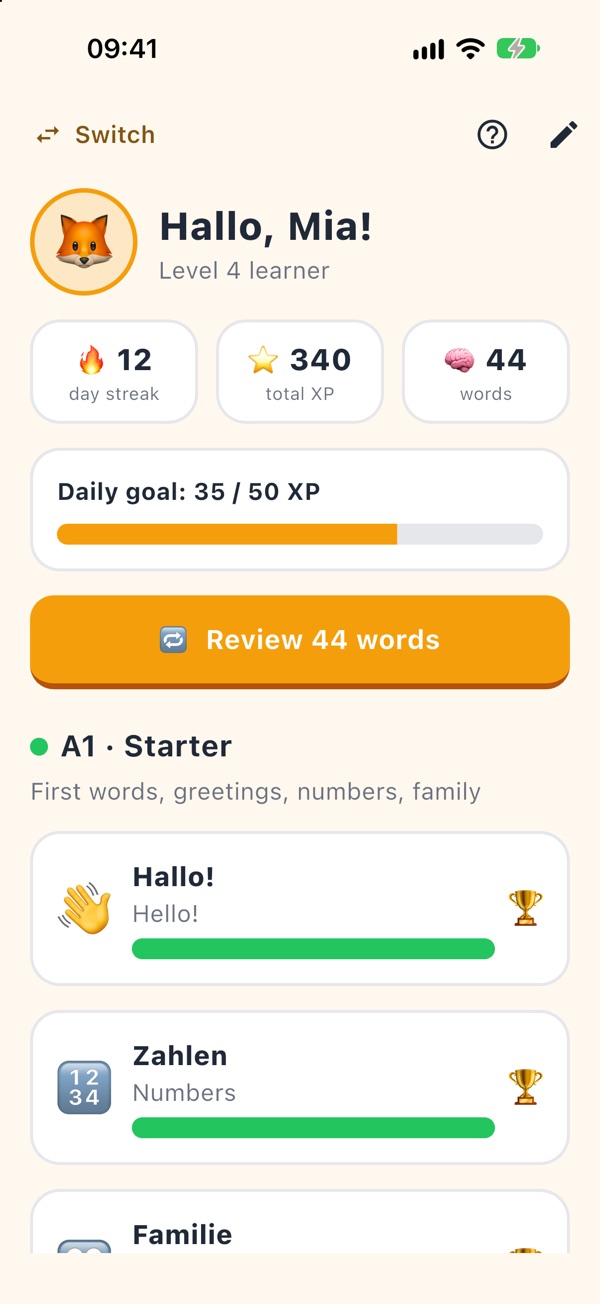
Each unit has five short activities, so a lesson never feels too long.
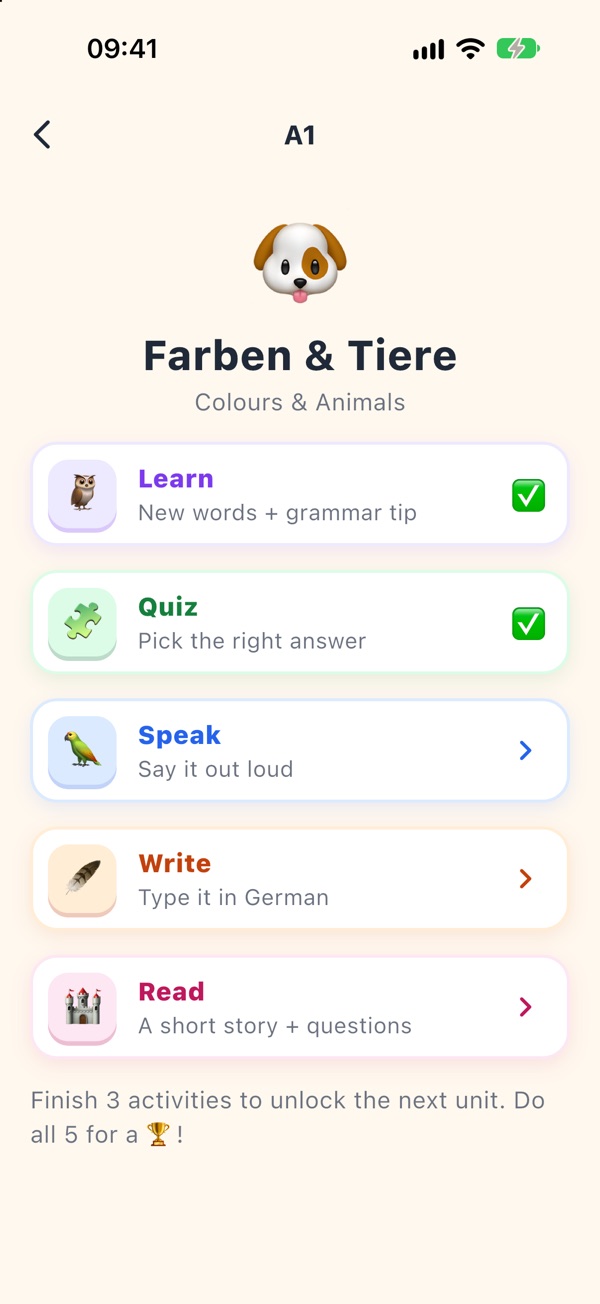
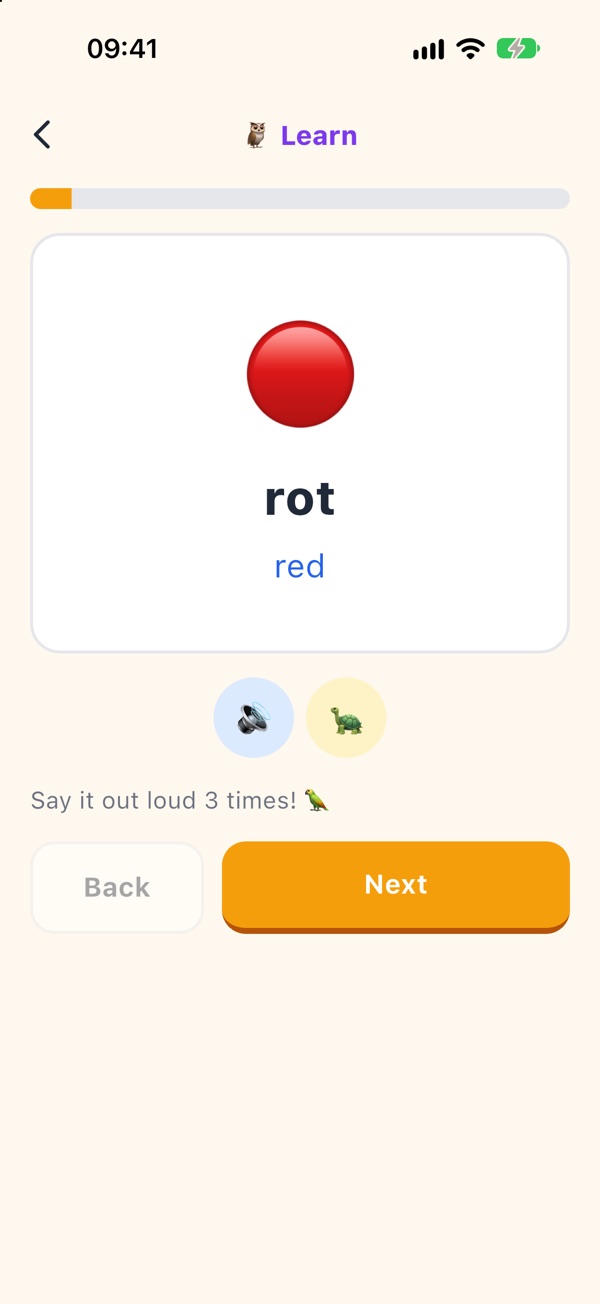
- Learn: new words on flashcards, spoken by a native German voice at normal or slow speed.
- Quiz: quick questions to check what stuck.
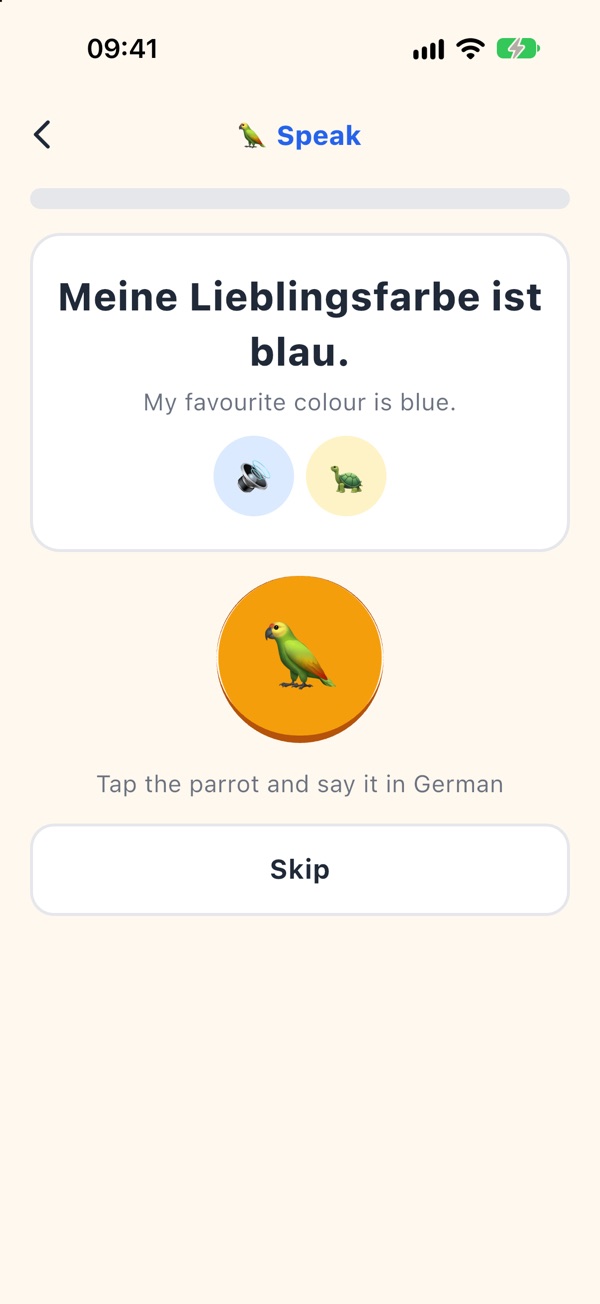
- Speak: say a phrase out loud, and German speech recognition gives instant feedback.
- Write: type the answer with an umlaut keyboard. Small typos and ae, oe or ue instead of ä, ö or ü are forgiven, because a child shouldn't fail over a missing dot.
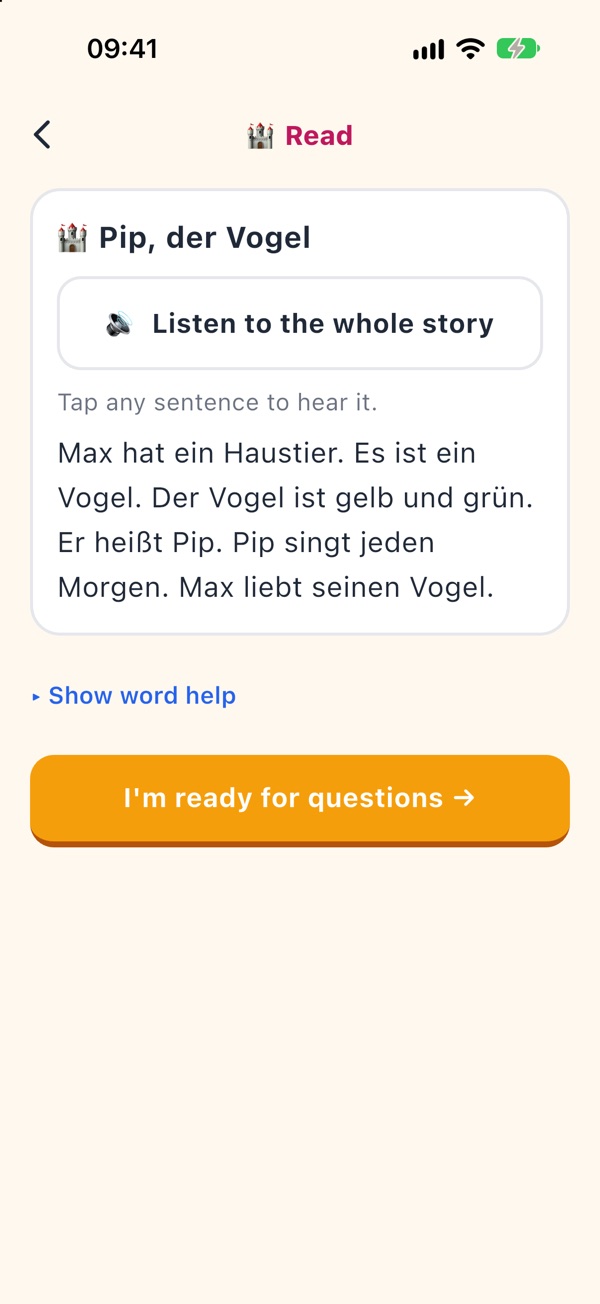
- Read: a short story to read and listen to, followed by questions.
Speaking was the activity I cared about most. My son wants to talk to people when we travel, not just recognise words on a screen.
Keeping him coming back
Children don't practise because it's good for them. They practise because it's fun. So the app has a fox mascot, a daily XP goal, streaks and avatars to unlock as you level up.
Behind the scenes, spaced repetition does the real work. Every word he learns comes back for review just before he is likely to forget it, so the vocabulary from unit 1 is still there in unit 10.
Built for a family
I have more than one child, so the app supports several learner profiles on one device, each with their own progress and level. The settings live in a parents' area behind a grown-ups check.
And because it's for my own kids, privacy was never up for discussion: no ads, no accounts, no tracking and no in-app purchases. The app is offline-first, and his progress stays on the device.
What I learned
- The best user tester lives in your home. My son tells me immediately when something is boring, confusing or too hard. No analytics dashboard is that honest.
- Forgiving beats strict. Accepting small typos made writing practice feel encouraging instead of frustrating.
- Speaking is the hardest part to get right, and the most rewarding. Hearing him say a full German sentence out loud makes the whole project worth it.
- Small steps win. Five short activities per unit fit into a busy school day far better than one long lesson.
What's next
Deutsch Kids is coming soon to the App Store. I'm still adding content and polishing it, with my son as the chief tester.
Viel Spaß beim Deutschlernen!
Written by
Niluka Bandara
Lead Mobile Developer in Stockholm, building Flutter apps for fintech and payments.